Run every client fleet from one console
Trucell RMM gives your technicians tenant-isolated monitoring, patching, scripting, and remote control across every organization, site, and endpoint you manage — with simple per-endpoint pricing that scales as you do.
$3.00 AUD per endpoint / month · No setup fees · Cancel anytime
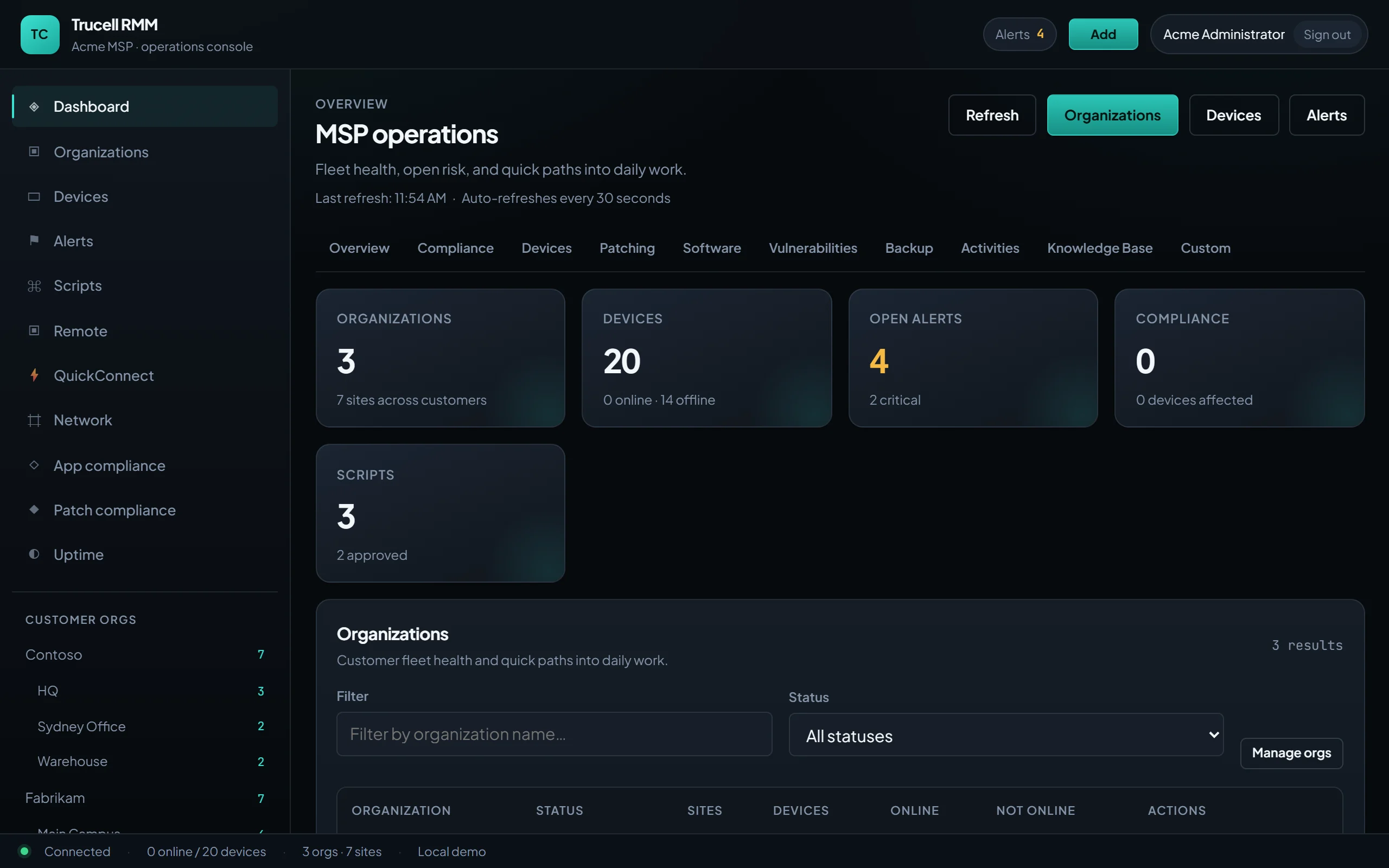
Everything technicians live in the queue for
A modular platform covering the day-to-day of fleet operations — no per-feature add-ons, every plan gets the lot.
Endpoint monitoring
Live inventory, heartbeats, metrics, and availability history for Windows and Linux agents, with per-device dashboards.
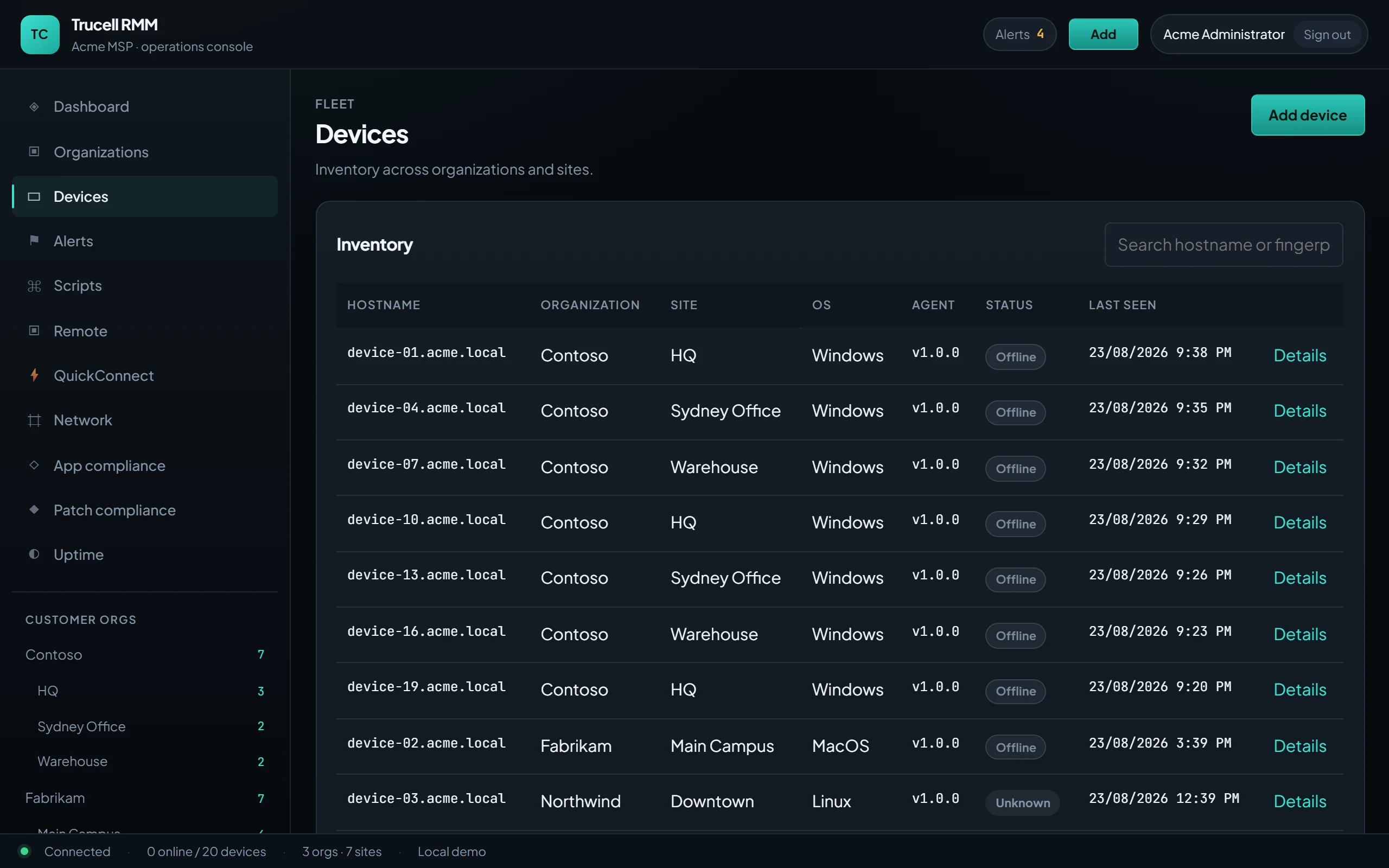
Multi-tenant by design
Hard tenant isolation from database filters up — every MSP's organizations, sites, and devices stay theirs alone.
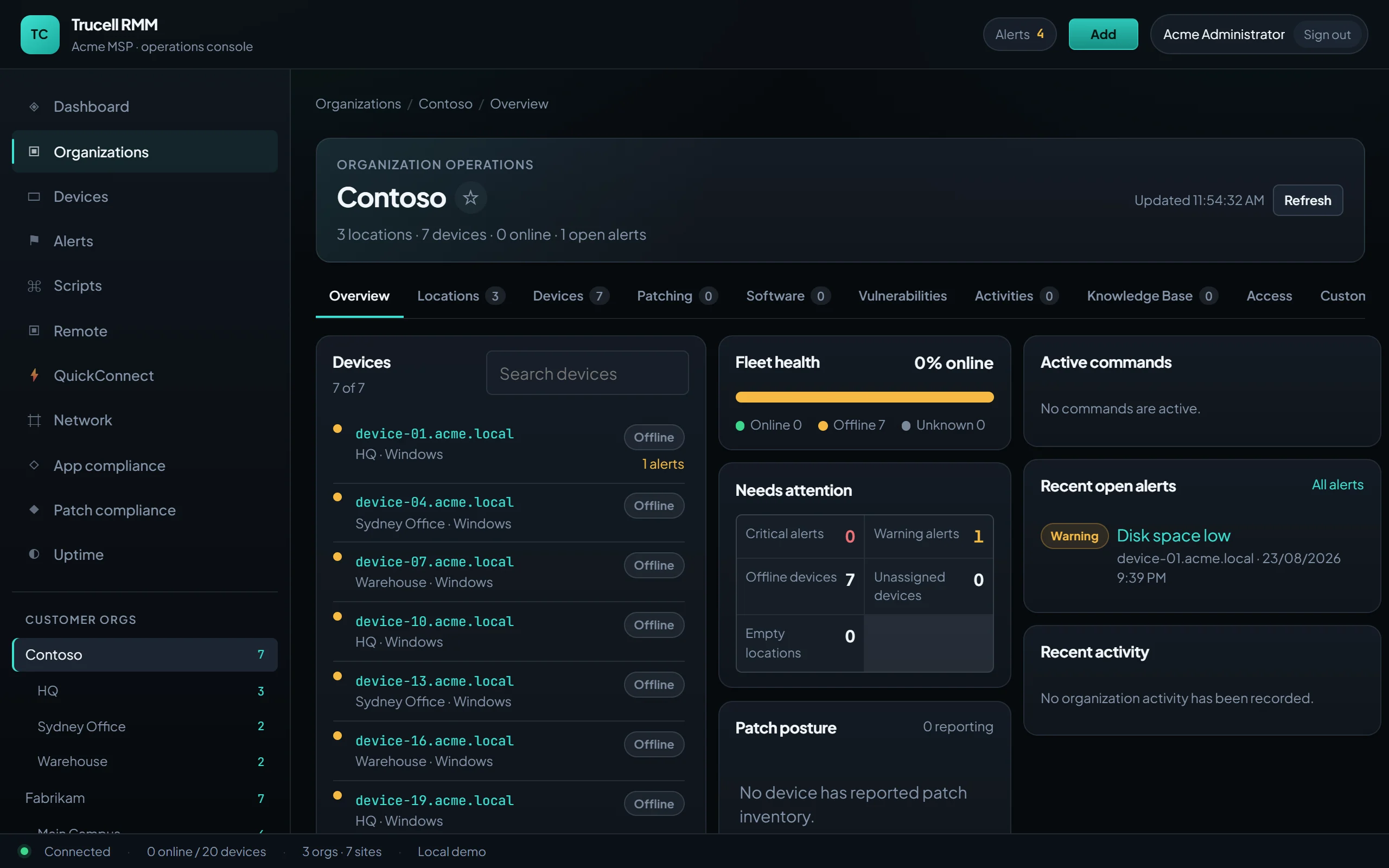
- Patch management
- Policy-driven patching with compliance reporting, maintenance windows, and scheduled enforcement across fleets.
- Remote control
- Session-aware remote desktop and a real terminal on any managed endpoint, with recording and consent controls.
- Scripting & automation
- Run scripts on demand or on schedule, chain them into automation policies, and see every execution's output.
- Alerting
- Condition-based alerts from metrics, availability, and policy checks — routed to the technicians who own the fleet.
- Network monitoring
- Agentless probes for switches, firewalls, and printers alongside your agent-managed endpoints.
- Vulnerability scanning
- Installed-software CVE matching with severity rollups, so you know which client is exposed before they ask.
Pricing that follows your fleet
One monthly price per managed endpoint. Add an endpoint mid-month and you're only charged the prorated remainder of the cycle — remove one and the next invoice simply drops.
Everything in the platform, billed monthly per managed endpoint.
- Monitoring, patching, alerting & reporting
- Remote desktop & terminal with recording
- Scripting, automation & maintenance windows
- Vulnerability & network device scanning
- Unlimited technicians — pay only for endpoints
- Billing scales up and down with your fleet
- Unlimited client organizations & sites
- Windows & Linux agents
$300.00 AUD / month
Enterprise
For platforms and large MSPs with custom requirements. Custom volume pricing, annual invoicing available.
- Everything in Professional
- Volume discounts at scale
- SSO / SAML & custom identity
- Dedicated support & onboarding
- Custom data residency options
Billing questions, answered
How does per-endpoint billing work?
Your subscription quantity always mirrors the number of endpoints enrolled in your tenant. We true it up the moment an agent enrolls and hourly in the background, and Stripe invoices you monthly for that quantity.
What happens when I add endpoints mid-month?
New endpoints are prorated: you're charged only for the remainder of the current billing cycle, from the day the endpoint enrolled, on your next invoice.
What if I remove endpoints?
Your quantity drops with your fleet. Removals apply from the next invoice — you'll never be billed for endpoints you no longer manage.
Do you charge per technician?
No. Invite your whole team — pricing is based purely on the endpoints you manage, so your margin doesn't shrink as your bench grows.